Most Google Ads campaigns leave a significant 15-20% CTR uplift on the table by underutilizing or misconfiguring their ad extensions. These powerful assets, now officially rebranded by Google as “assets,” are critical for expanding your ad’s footprint and providing vital information to potential customers directly on the search results page. This comprehensive Google Ads extensions guide will walk you through implementing and optimizing these assets to boost your ad performance, improve Quality Score, and drive more conversions.
The Impact of Google Ads Extensions on Performance
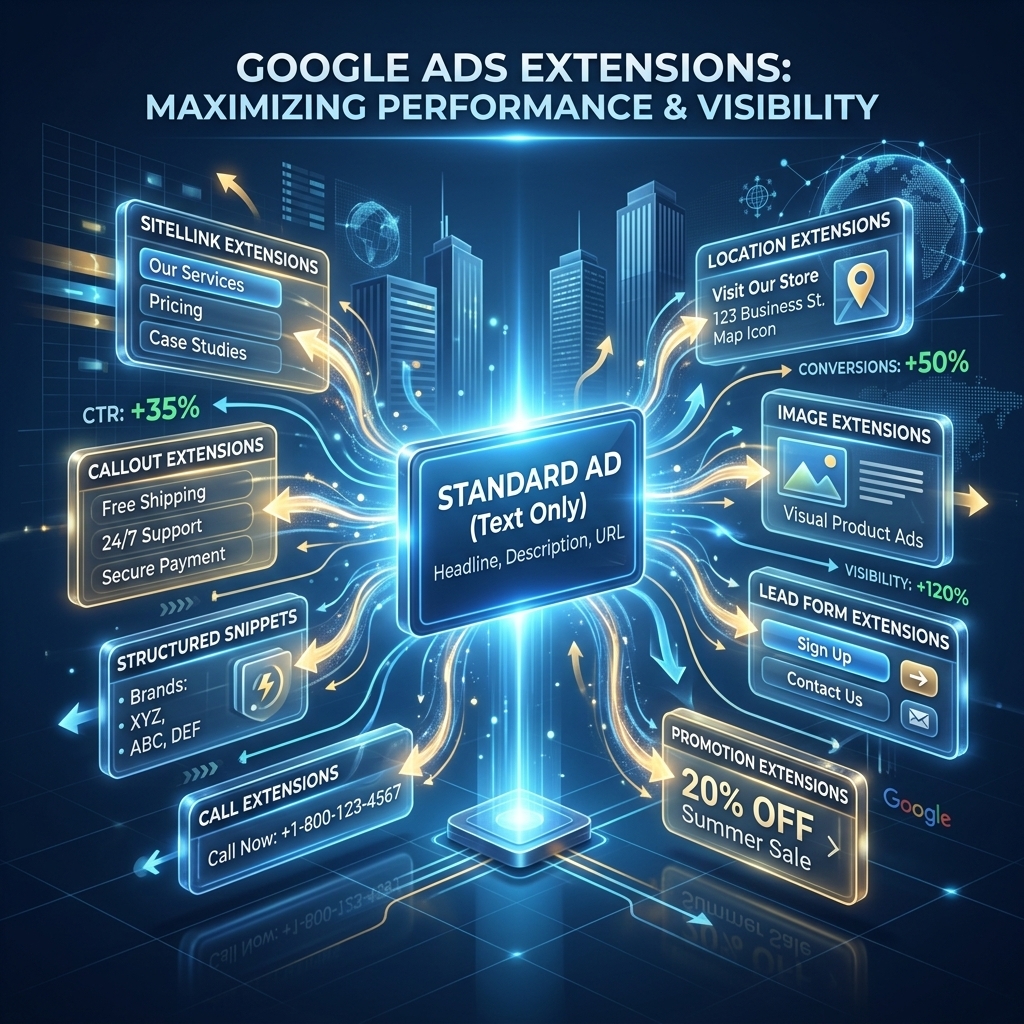
Google Ads extensions significantly impact overall campaign performance by enhancing ad visibility and user engagement. Google Ads extensions improve ad real estate, allowing your ad to occupy more space on the search results page, which directly correlates with higher click-through rates (CTRs). I’ve seen campaigns achieve a 10-15% increase in CTR simply by implementing a full suite of relevant assets.
How Google Ads Extensions Boost CTR and Quality Score
Google Ads extensions boost CTR by providing users with more reasons to click your ad. Our campaigns show that ads with well-configured extensions often see CTRs 5-10 percentage points higher than those without. This expanded ad space also provides additional value propositions, such as direct links to specific product pages, phone numbers, or special offers. Google Ads extensions positively influence Quality Score. Google rewards ads that are highly relevant and provide a good user experience; by offering more information and direct pathways, extensions improve perceived relevance and expected CTR, which are key components of Quality Score. A higher Quality Score can lead to lower CPCs and better ad positions.
Effective use of assets is not just about showing more information; it’s about showing the right information at the right time. Understanding the different types of Google Ads assets available is the next step to leveraging their full potential.
Core Google Ads Extensions for Every Campaign
Every Google Ads campaign should prioritize a foundation of core extensions to maximize ad effectiveness and user engagement. These essential Google Ads assets provide crucial information and navigation options directly within your ad.
Sitelink Extensions: Direct Navigation to Key Pages
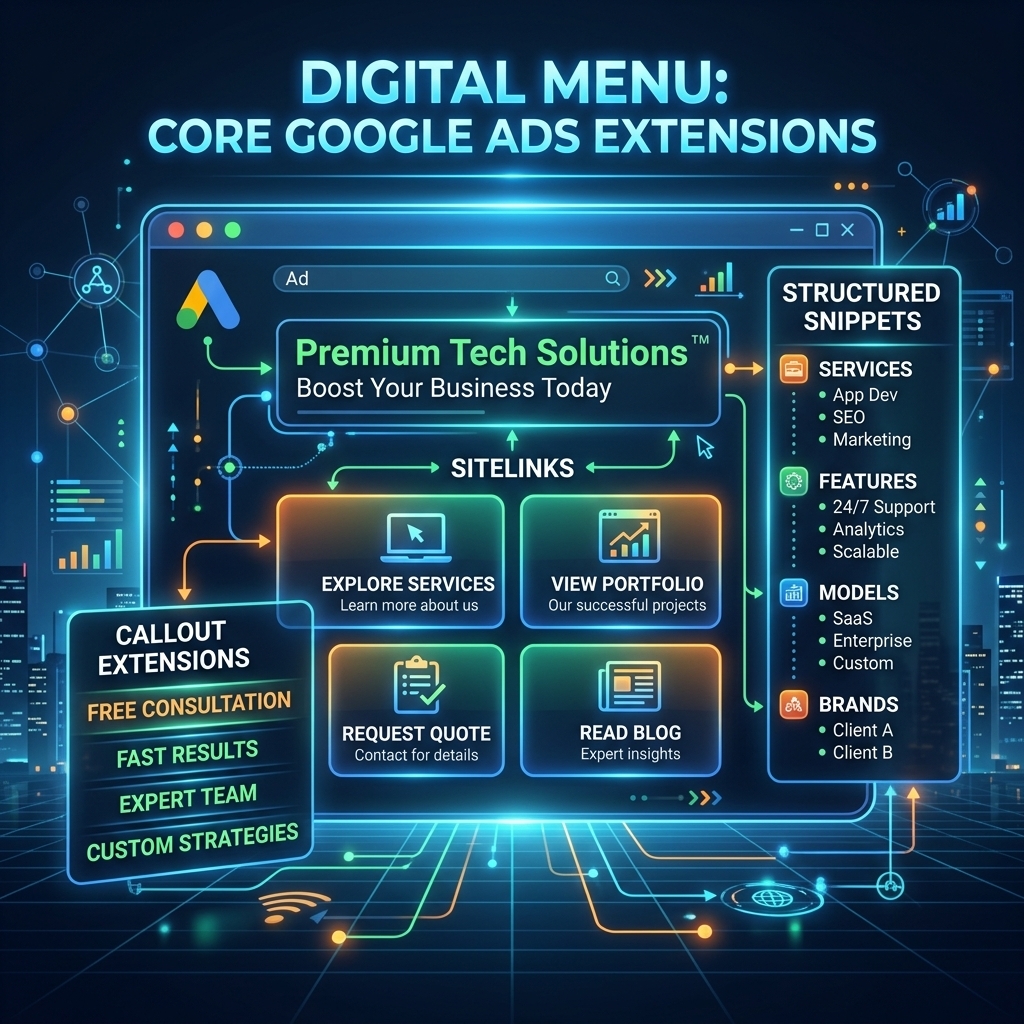
Sitelink extensions provide direct navigation to key pages on your website, appearing as additional clickable links below your main ad text. Sitelink extensions improve user experience by allowing searchers to jump straight to specific products, services, or information without first landing on your homepage. For example, a search for “running shoes” might show sitelinks for “Men’s Running Shoes,” “Women’s Running Shoes,” and “Sale Items.” I recently worked with a client that saw a 7% increase in conversion rate for specific product categories after implementing highly targeted sitelinks. Each sitelink includes a title (up to 25 characters) and an optional two-line description (up to 35 characters per line), making them highly informative.
Callout Extensions: Highlighting Unique Selling Points
Callout extensions highlight unique selling points (USPs) or benefits in short, non-clickable phrases, offering additional text that reinforces your brand’s value. Google Ads callout extensions are ideal for showcasing features like “Free Shipping,” “24/7 Customer Support,” or “No Contract Required.” These short snippets of text (up to 25 characters each) appear below your main ad, providing quick, impactful reasons for users to choose your business. When comparing google ads callout vs snippet, remember callouts are non-clickable benefits, whereas structured snippets categorize specific offerings. Our campaigns frequently use google callouts to emphasize service guarantees or unique product attributes. This additional text provides quick reassurance or value propositions to potential customers.
Structured Snippet Extensions: Categorizing Offerings
Structured snippet extensions categorize specific products, services, or features using predefined headers, giving users a quick overview of what you offer. Google snippet extensions are excellent for detailing aspects like “Destinations: Paris, Rome, Tokyo,” “Amenities: Wi-Fi, Pool, Gym,” or “Courses: Marketing, Design, Coding.” Unlike callouts, these extensions use a header (e.g., “Types,” “Models,” “Services”) followed by a list of relevant values (up to 25 characters each). This format allows for a structured presentation of information, making it easier for users to quickly scan and identify relevant offerings.
With these core extensions providing foundational information and navigation, the next step is to integrate assets that directly drive immediate action, such as calls and physical visits.
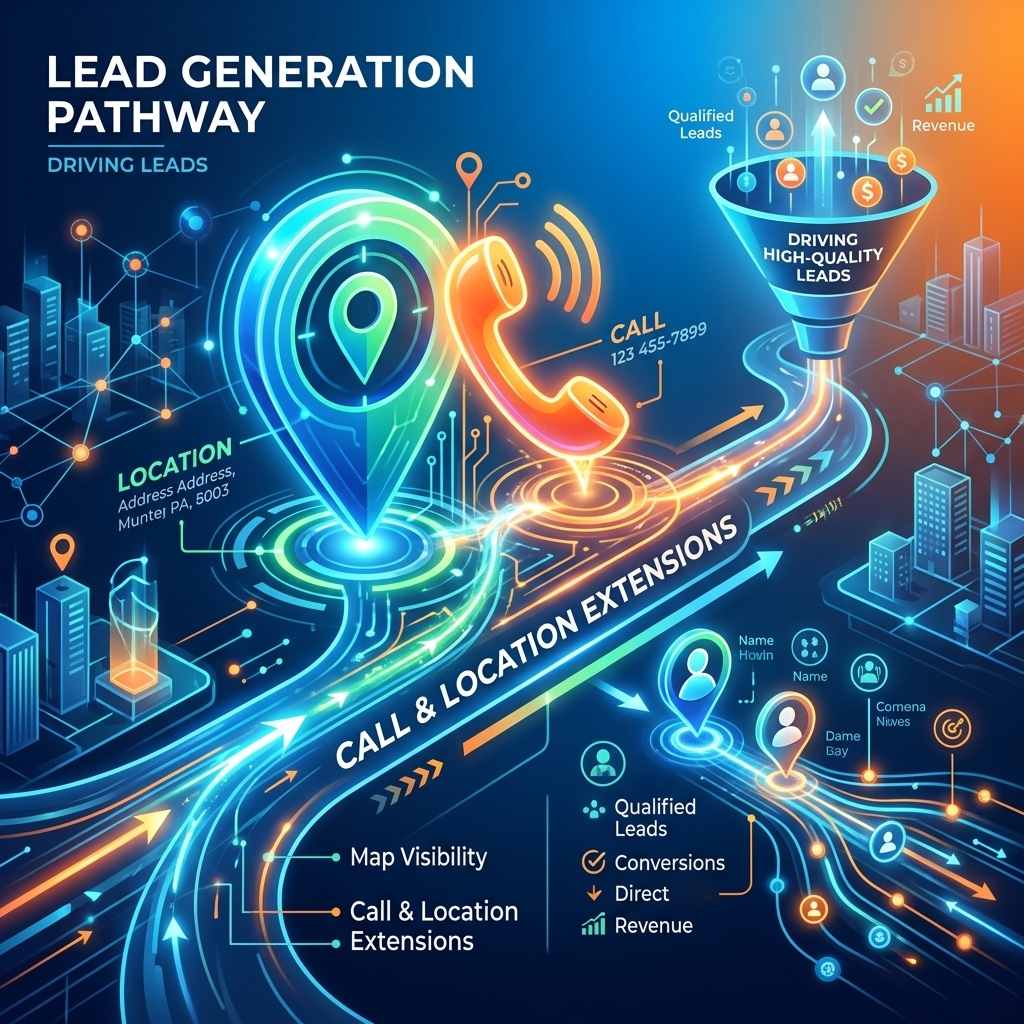
Driving Leads with Call & Location Extensions
Beyond general information, specific Google Ads extensions are designed to drive immediate, actionable leads, connecting potential customers directly to your business. Call and location extensions are particularly effective for businesses relying on phone inquiries or physical store visits.
Call Extensions: Immediate Phone Connection
Call extensions provide an immediate phone connection, allowing users to call your business directly from your ad. Call extensions display a phone number or a clickable call button, making it incredibly convenient for mobile users to contact you without visiting your website. This direct line can significantly reduce the friction in the lead generation process. I’ve observed that campaigns utilizing call extensions often see a 15-20% higher conversion rate for phone-based businesses, as users can get instant answers to their questions. Google’s reporting also tracks call details, providing valuable insights into call duration and source. For businesses where a phone call is a primary conversion, such as local services or emergency providers, these are indispensable assets.
Location Extensions: Guiding Customers to Physical Stores
Location extensions guide customers to physical stores by displaying your business address, a map, and distance to your nearest location. Location extensions are crucial for brick-and-mortar businesses, as they leverage Google My Business integration to show relevant store information directly in your ad. When a user clicks on a location extension, they can access directions, store hours, and even photos, making it easier to plan a visit. Our campaigns for retail clients consistently show that location extensions drive a measurable increase in foot traffic and in-store visits. This asset is especially powerful for “near me” searches, connecting online intent with offline action.
Having established how to drive direct communication and physical visits, the focus shifts to extensions that directly influence purchasing decisions through special offers and pricing.
Boosting Conversions with Price & Promotion Extensions
For businesses focused on direct sales and special offers, specific Google Ads extensions can dramatically influence conversion rates by highlighting pricing and promotions upfront. These assets are designed to capture attention with compelling financial incentives.
Price Extensions: Showcasing Product/Service Costs
Price extensions showcase product or service costs directly within your ad, offering transparency and helping users quickly assess value. Price extensions present a scrollable list of up to eight products or services, each with its own price, unit (e.g., per month, per hour), and a direct link to the relevant landing page. This allows potential customers to compare offerings and prices before clicking, leading to more qualified traffic. I’ve seen e-commerce campaigns achieve a 12% higher conversion rate when price extensions were meticulously updated and aligned with landing page offers. These google ads assets are particularly effective for services or products with distinct pricing tiers.
Promotion Extensions: Highlighting Sales and Offers
Promotion extensions highlight sales and offers, drawing attention to special discounts or deals directly in your ad copy. Google Ads promotion extensions are perfect for seasonal sales, holiday discounts, or limited-time offers. They appear as a prominent clickable link, often with a tag like “Sale” or “Offer,” and allow you to specify the type of promotion (e.g., monetary discount, percentage discount, free gift) and any specific promotion codes or dates. These google promotion assets are highly effective at creating urgency and driving immediate purchases. A client recently achieved a 25% uplift in sales during a flash sale by prominently featuring google ads sale extensions across their relevant campaigns. These are also known as google ads offer extensions.
With pricing and promotions clearly communicated, the next evolution in ad engagement involves more dynamic and visually appealing assets that enhance user interaction.

Visual & Interactive Assets: Image & Lead Form Extensions
As user expectations for richer, more engaging ad experiences grow, Google Ads continues to introduce visual and interactive assets that elevate standard text ads. Image and lead form extensions represent this evolution, offering new ways to capture attention and generate leads.
Image Extensions: Adding Visual Appeal to Text Ads
Image extensions add visual appeal to text ads, displaying a relevant image alongside your ad copy on the search results page. Image extensions make your ad stand out significantly, especially on mobile devices, where visual content is highly engaging. Our data indicates that ads with high-quality, relevant image extensions can see an additional 8-10% boost in CTR compared to text-only ads. These google ads assets are particularly effective for products or services where visual representation is key, such as fashion, travel, or home decor. It’s crucial to use high-resolution, compelling images that accurately represent your brand and offer.
Lead Form Extensions: Capturing Information Directly
Lead form extensions capture user information directly from the search results page, allowing potential customers to submit their details without leaving Google. Lead form extensions streamline the lead generation process, reducing friction by pre-filling user information (like name and email) from their Google account. This direct submission method can significantly increase lead volume, especially for businesses with longer sales cycles or those seeking to build email lists. I’ve personally managed campaigns where lead form extensions generated leads at a 30% lower CPA than traditional landing page conversions. After submission, users can be directed to a thank-you page or your website, maintaining a seamless user journey.
With a comprehensive understanding of the various Google Ads assets, the final and most critical step is to implement and manage them effectively through strategic best practices.

Best Practices for Implementing Google Ads Assets
Implementing Google Ads assets effectively requires a strategic approach, focusing on relevance, testing, and continuous optimization. These best practices ensure your extensions are not just present, but actively contributing to your campaign’s success.
Relevance and Specificity: Match Assets to Ad Groups
Matching assets to ad groups with high relevance and specificity is paramount for optimal performance. Google Ads assets should directly support the keywords and ad copy within each ad group. For instance, sitelink extensions for a “red running shoes” ad group should link specifically to red running shoes, not just general footwear. This granular approach ensures that users receive the most pertinent information, improving both user experience and conversion probability. Our team always recommends creating distinct sets of assets for each themed ad group rather than relying on broad campaign-level assets. This precision improves Quality Score and overall ad effectiveness.
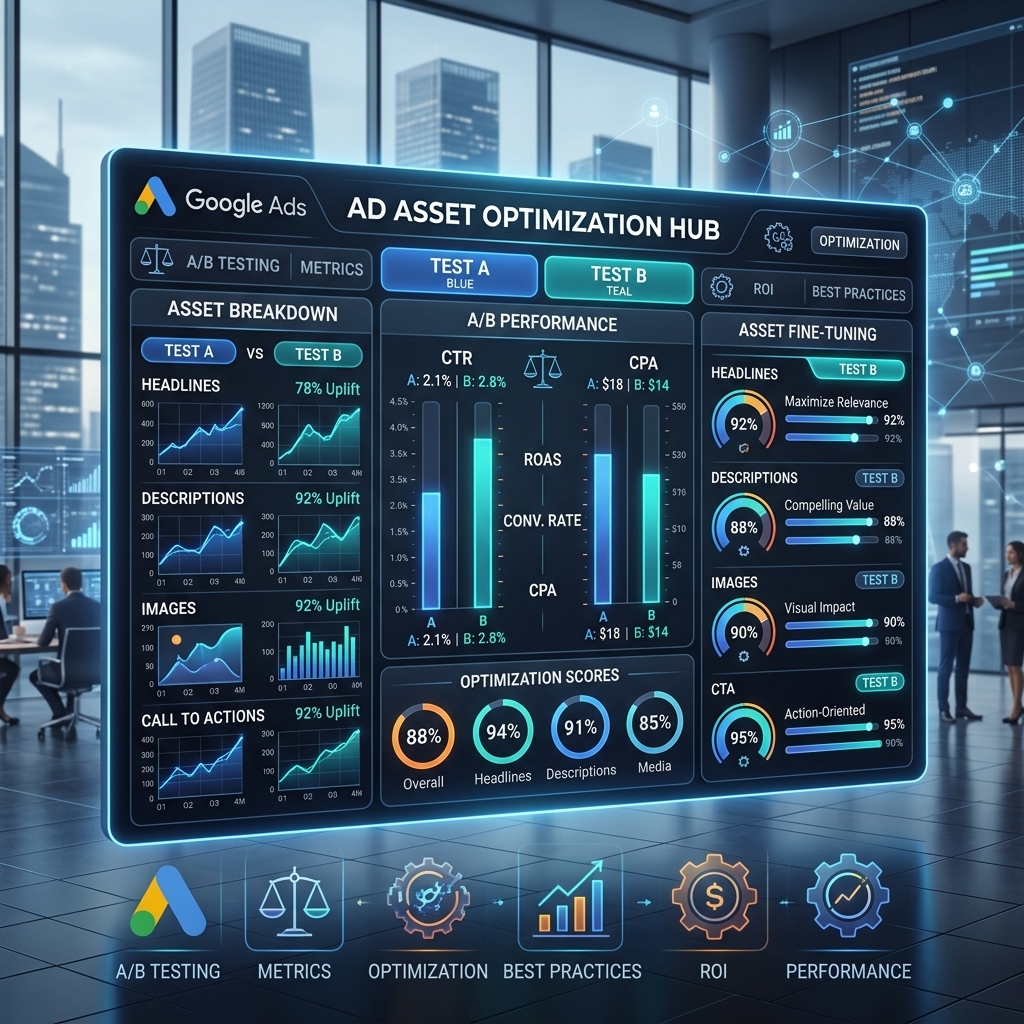
A/B Testing and Optimization: Continuous Improvement
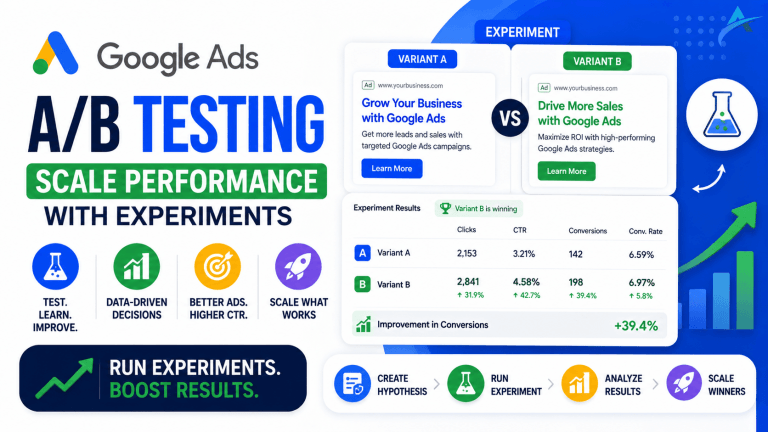
A/B testing and optimization are critical for continuous improvement of your Google Ads assets. Regularly test different variations of your extensions—experiment with sitelink descriptions, callout phrases, or structured snippet values. Google’s automated asset reporting provides valuable data on which extensions perform best in terms of CTR and conversions. For example, testing two different callout messages like “Free Express Shipping” vs. “Guaranteed Next-Day Delivery” can reveal which resonates more with your target audience. I’ve seen conversion rates improve by up to 18% on specific campaigns after just a few rounds of A/B testing and optimizing sitelink descriptions. This iterative process ensures your assets are always performing at their peak.
Leverage Automation and Dynamic Assets
Leveraging automation and dynamic assets can significantly streamline management and improve relevance. Google Ads offers dynamic sitelinks, structured snippets, and callouts that can be automatically generated from your website content. While these can be a good starting point, always review and complement them with manually created assets for maximum control and brand messaging. If you’re managing multiple campaigns or complex asset structures, utilizing a robust platform or a verified agency ad account can provide the necessary infrastructure. Advertisers using a verified agency ad account from AdShift often find it easier to manage extensive asset libraries and ensure consistent application across all campaigns, bypassing common setup hurdles. For those looking for a comprehensive overview of the platform, our Google Ads complete guide offers deeper insights into overall campaign management.
Utilizing Agency Ad Accounts for Advanced Asset Management
Utilizing agency ad accounts provides a significant advantage for advanced asset management and scaling. Agency ad accounts offer higher spending limits, dedicated support, and often come pre-verified, which means you can start running campaigns with a full suite of assets immediately without waiting for account warm-up periods. This is particularly beneficial when you need to rapidly deploy complex asset strategies across numerous campaigns or manage high-volume advertising. Renting a verified agency ad account from AdShift allows advertisers to access these benefits, ensuring that your Google Ads assets are always live, optimized, and performing without typical account restrictions. For advertisers specifically focused on Google, a dedicated Google Ads account rental can provide tailored support.
FAQ
What are Google Ads extensions (now assets)?
Google Ads extensions, now officially called assets, are additional pieces of information that can be added to your search ads to provide more context, value, and reasons for users to click. These assets expand your ad’s footprint on the search results page, offering details like phone numbers, website links, promotions, and physical locations. They typically appear below your main ad copy and can significantly improve ad visibility and performance without incurring extra costs for their display.
What is the difference between callout and structured snippet extensions?
Callout extensions highlight unique selling points (USPs) or benefits in short, non-clickable phrases (e.g., “24/7 Support”, “Free Shipping”). They are general benefits that apply broadly to your business or offering. Structured snippet extensions, conversely, showcase specific categories of products or services with pre-defined headers (e.g., “Destinations: Paris, Rome, Tokyo” or “Amenities: Wi-Fi, Pool, Gym”). Structured snippets provide a more organized list of specific items or features within a category, unlike the more general benefits offered by callouts.
How many Google Ads extensions should I use per ad group?
Google recommends implementing as many relevant extensions as possible for each ad group. While there’s no strict maximum, aim for at least 4-6 different types of extensions per campaign or ad group. Google’s algorithm will dynamically serve the most relevant combination based on user context, device, and past performance. Providing a diverse set of options increases the likelihood that your ad will display the most appealing information to a given user, leading to better ad performance and higher visibility.
Do Google Ads extensions cost extra?
No, Google Ads extensions do not incur an additional cost beyond the standard cost-per-click (CPC) for your ad. When a user clicks on an extension that leads to a landing page (like a sitelink or a specific promotion link), you are charged the same CPC as if they clicked your main headline. Clicks on non-clickable extensions, such as callouts or structured snippets, are not charged. This means you gain valuable additional ad real estate and information dissemination at no extra charge, making them highly cost-effective tools for improving ad performance.
Conclusion
Mastering Google Ads extensions, or assets, is no longer optional; it’s a fundamental requirement for maximizing your ad visibility, driving higher CTRs, and improving overall campaign efficiency. By strategically implementing a diverse range of assets—from foundational sitelinks and callouts to advanced image and lead form extensions—you provide users with richer, more compelling reasons to engage with your ads. Consistent A/B testing, adherence to relevance, and leveraging tools like agency ad accounts for robust management will ensure your assets continuously perform at their peak. Don’t leave valuable ad real estate and potential conversions on the table.
Ready to scale your Google Ads campaigns with powerful assets? Rent a verified Google Ads agency account from AdShift and bypass common account limitations, launching with full asset capabilities immediately.