Most advertisers struggle to connect ad spend directly to business outcomes, often wasting up to 30% of their budget on campaigns that don’t clearly demonstrate ROI due to fragmented or insufficient data. Effective Google Ads reporting tools are not just about pulling numbers; they’re about transforming raw data into actionable strategies that drive profitable growth. This article dives into leveraging native Google Ads features, integrating with GA4, exploring advanced third-party solutions, and building custom reports that move the needle. We’ll also cover how a robust agency ad account can streamline your entire reporting workflow.
Leveraging Native Google Ads Reporting Features
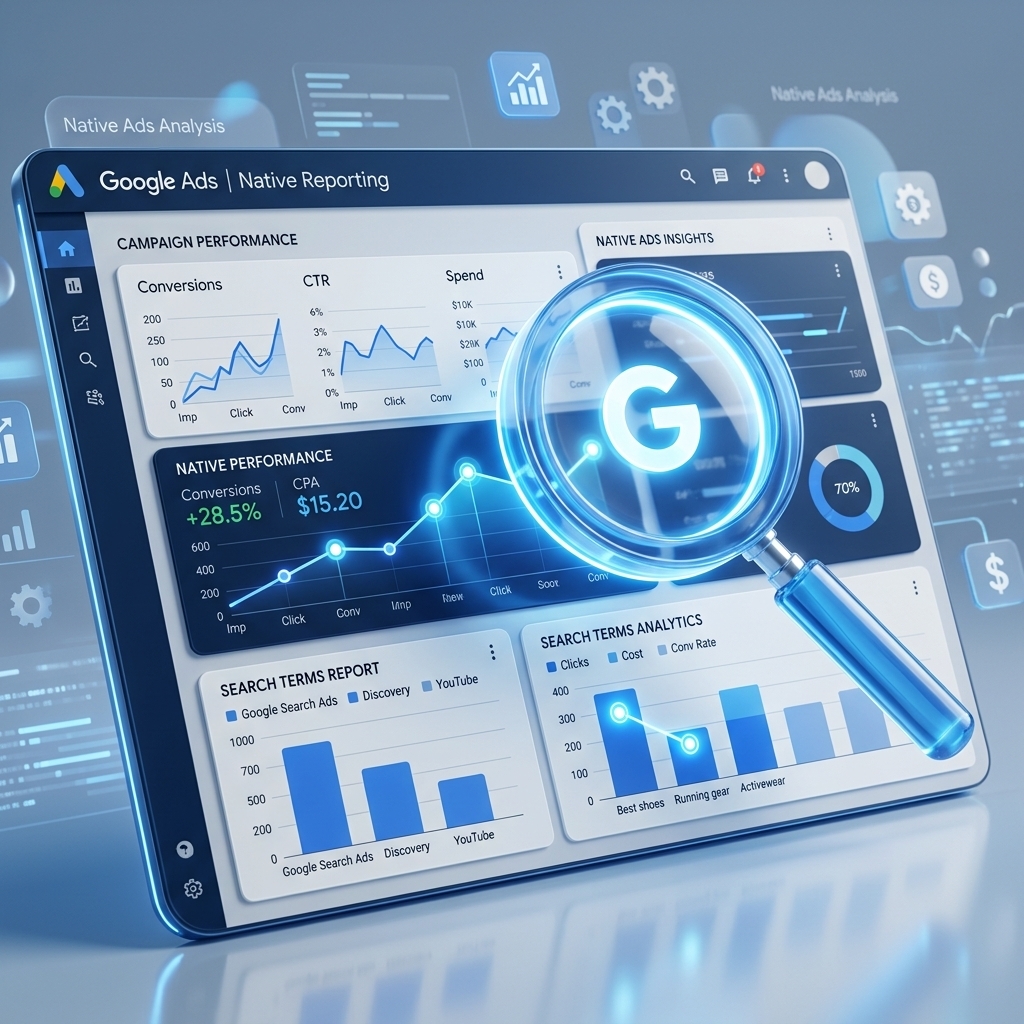
Google Ads reporting features within the platform provide the foundational data for campaign analysis and optimization. These native tools allow advertisers to monitor performance metrics directly, offering real-time insights into ad spend, clicks, conversions, and more. I’ve seen countless campaigns improve dramatically simply by mastering the built-in reporting options.
The Google Ads interface offers a comprehensive suite of reports, including:
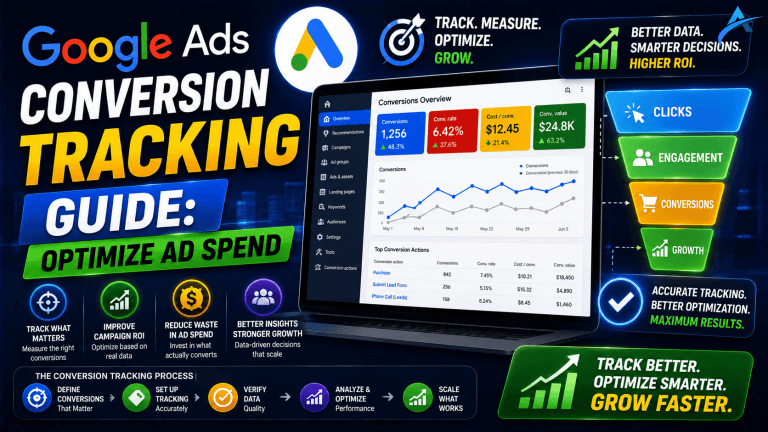
* Performance Reports: These display key metrics like impressions, clicks, CTR, CPC, conversions, and conversion value at various levels (campaign, ad group, keyword, ad). You can customize columns to focus on your specific KPIs, such as “Cost / conv.” or “Conv. value / cost.”
* Auction Insights Reports: This report compares your performance with competitors participating in the same auctions. It details impression share, overlap rate, outranking share, and top of page rate, helping you understand your competitive landscape. Our campaigns show that analyzing auction insights weekly can reveal opportunities to adjust bids or ad copy for better positioning against key rivals.
* Search Term Reports: This critical report shows the actual search queries that triggered your ads, not just the keywords. It’s invaluable for identifying new negative keywords (to prevent irrelevant spend) and discovering high-performing new keywords to add. A client recently achieved a 15% reduction in wasted spend by consistently reviewing search term reports and adding negatives.
* Custom Reports: You can build custom reports from scratch, choosing specific dimensions (e.g., Device, Geographic, Time) and metrics to analyze performance tailored to your unique objectives. These can be saved and scheduled for regular delivery.
Mastering these native reporting tools is the first step towards data-driven decision-making in Google Ads. While native reports provide a solid foundation, integrating with Google Analytics 4 unlocks a more holistic view of user behavior beyond the click.
Integrating Google Ads with GA4 for Deeper Insights
Integrating Google Ads with GA4 provides a powerful synergy, offering a comprehensive view of the entire customer journey from ad interaction to conversion. This integration allows performance marketers to connect ad spend directly to on-site user behavior, enriching Google Ads analytics with valuable cross-platform data. Linking Google Ads to GA4 is a critical step for modern digital advertising, especially with the sunset of Universal Analytics.
The process to link Google Ads to GA4 is straightforward:
1. Navigate to the Admin section in your GA4 property.
2. Under the ‘Product links’ column, select ‘Google Ads Links.’
3. Click ‘Link’ and choose the Google Ads account you wish to connect.
4. Confirm the settings, including enabling personalized advertising.
Once linked, you can achieve several key benefits:
* GA4 Conversion Import: This is arguably the most impactful feature. You can import conversions tracked in GA4 (e.g., ‘purchase,’ ‘form_submit,’ ‘lead’) directly into Google Ads. This allows Google Ads’ smart bidding strategies to optimize for these more robust, website-centric conversions, often leading to a 10-20% improvement in CPA compared to relying solely on Google Ads’ native conversion tracking.
* Audience Sharing: GA4 audiences (e.g., “users who viewed product X but didn’t purchase”) can be shared with Google Ads for highly targeted remarketing campaigns. This allows for more granular segmentation than what’s available solely within Google Ads.
* Unified Reporting: GA4 provides a unified view of user behavior across your website and app, attributing ad interactions to subsequent actions. You can analyze Google Ads performance metrics within GA4’s engagement reports, understanding how ad traffic interacts with your content, navigates your site, and ultimately converts. Our campaigns consistently show that using GA4 data allows for more nuanced ad copy and landing page optimization.
This seamless data flow between Google Ads and GA4 is crucial for truly understanding ROI and optimizing for profitable outcomes. Beyond the Google ecosystem, specialized third-party tools offer advanced functionalities for more granular analysis and automation.

Advanced Google Ads Reporting Tools for Enhanced Analysis
Advanced Google Ads reporting tools extend beyond the native Google ecosystem, providing enhanced capabilities for data aggregation, visualization, and automation. These platforms are essential for marketers managing complex accounts or needing to consolidate data from multiple sources for a holistic view of performance. I’ve personally leveraged these tools to manage hundreds of millions in ad spend, and their impact on efficiency and insight is undeniable.
Key advanced tools include:
* Looker Studio (formerly Google Data Studio): This free data visualization tool allows you to connect to various data sources, including Google Ads, GA4, Google Sheets, and more. You can create highly customized, interactive dashboards that refresh automatically, making it easy to monitor KPIs and share insights with stakeholders. For instance, I’ve built Looker Studio dashboards that combine Google Ads spend with CRM data, providing a real-time ROAS calculation that isn’t possible natively.
* Supermetrics: A powerful data connector that pulls data from over 100 marketing platforms (including Google Ads, GA4, Facebook Ads, TikTok Ads) into destinations like Google Sheets, Excel, Looker Studio, or data warehouses. Supermetrics automates the data extraction process, saving countless hours of manual reporting. Our agency uses Supermetrics daily to pull data for client reports, streamlining a process that used to take hours into minutes.
* Optmyzr: This platform offers a suite of tools for Google Ads optimization, including advanced reporting and analysis features. It provides insights into bid management, keyword opportunities, budget pacing, and even automates certain reporting tasks, highlighting areas for improvement.
* Power BI/Tableau: For enterprise-level advertisers, these business intelligence tools offer unparalleled capabilities for data modeling, advanced analytics, and highly sophisticated visualizations. They require a steeper learning curve but provide maximum flexibility for deep-dive analysis.
These advanced Google Ads reporting tools empower marketers to move beyond basic metrics, offering the ability to integrate diverse data sets and visualize performance in meaningful ways. With various tools available, the key is to build custom reports that directly address your campaign goals and provide actionable intelligence.

Building Custom Google Ads Reports for Actionable Insights
Building custom Google Ads reports is about moving beyond generic dashboards to create tailored views that directly inform your strategic decisions. This process involves defining your key performance indicators (KPIs), selecting the right dimensions and metrics, and presenting the data in a way that highlights opportunities and challenges. Our campaigns consistently show that custom reports lead to more proactive and effective optimization.
To build effective custom Google Ads reports:
1. Define Your Core KPIs: Start by identifying what truly matters for your business. Is it Cost Per Acquisition (CPA), Return on Ad Spend (ROAS), Lead-to-Sale Ratio, or Customer Lifetime Value (CLTV)? Your reports should center around these metrics. For an e-commerce client, we built a custom report focusing on ROAS by product category and device, which immediately revealed that mobile users had a 20% lower ROAS on specific product lines, leading to targeted bid adjustments.
2. Choose the Right Dimensions & Metrics: Select specific data points that provide context for your KPIs. For example, if your KPI is CPA, relevant dimensions might include ‘Campaign,’ ‘Ad Group,’ ‘Keyword,’ ‘Device,’ and ‘Geography,’ alongside metrics like ‘Impressions,’ ‘Clicks,’ ‘Conversions,’ and ‘Cost.’
3. Leverage Segmentation: Within Google Ads or external tools, segment your data to uncover granular insights. Segmenting by time (day of week, hour of day), device, conversion action, or network can reveal performance variations that inform bid adjustments, budget allocation, and ad scheduling.
4. Visualize for Clarity: Use charts, graphs, and tables to make complex data understandable. Looker Studio excels here, allowing you to create dashboards that visualize trends, compare performance across segments, and highlight outliers. A well-designed custom dashboard can cut reporting review time by 50% while increasing clarity.
5. Focus on Actionability: Every element in your custom report should lead to a potential action. If a segment shows poor performance, what’s the next step? If a trend is emerging, how can you capitalize on it? The goal is not just to see the data but to understand what to do with it.
Custom reports transform raw data into a strategic asset, enabling you to optimize campaigns with precision. Effectively managing and scaling complex reporting across multiple accounts often requires the robust infrastructure and permissions provided by an agency ad account.

Optimizing Reporting Workflows with Agency Ad Accounts
Optimizing reporting workflows with an agency ad account provides significant advantages, particularly for performance marketers managing multiple campaigns, high ad spend, or operating across various platforms. An agency ad account, like those provided by AdShift, offers a robust infrastructure that streamlines data access, enhances stability, and simplifies compliance, directly impacting the efficiency and accuracy of your Google Ads reporting.
Here’s how an agency ad account can optimize your reporting:
* Higher Spending Limits: Agency ad accounts typically come with higher initial spending limits and faster scaling potential. This means less time dealing with account freezes or spending caps, ensuring continuous data flow for consistent reporting. For high-volume advertisers, this stability is crucial for uninterrupted data collection.
* Enhanced API Access & Stability: Agency accounts often provide more stable and higher-volume API access. This is vital when using advanced reporting tools like Supermetrics or Looker Studio, which rely on APIs to pull data. Advertisers using a verified agency ad account from AdShift often experience significantly fewer API rate limits and more stable access to historical data, crucial for comprehensive performance reporting.
* Centralized Management: For agencies or businesses with multiple brands, an agency ad account allows for centralized management of various Google Ads accounts under one umbrella. This simplifies data aggregation for cross-account reporting, making it easier to compare performance, identify overall trends, and manage budgets efficiently across your entire portfolio.
* Bypassing Verification Delays: Setting up new Google Ads accounts can involve lengthy verification processes that delay campaign launches and, consequently, reporting data collection. Renting a verified Google Ads agency account from AdShift allows you to bypass these delays, getting your campaigns live and data flowing immediately. This is particularly beneficial for time-sensitive promotions or rapid market entry.
* Reduced Scrutiny & Faster Support: Agency accounts often benefit from a higher trust level with ad platforms, leading to less frequent account reviews and faster resolution of issues. This translates to fewer reporting interruptions and quicker access to support when data discrepancies arise.
Leveraging an agency ad account provides the operational backbone needed to support advanced, scalable Google Ads reporting, allowing you to focus on strategy rather than administrative hurdles. To further clarify common challenges and solutions in Google Ads reporting, let’s address some frequently asked questions.

Frequently Asked Questions
What are the essential Google Ads reporting tools?
Essential Google Ads reporting tools include the native Google Ads interface for basic metrics, Google Analytics 4 (GA4) for comprehensive user journey analysis, and advanced third-party platforms like Supermetrics or Looker Studio for enhanced data aggregation and visualization. Each tool serves a distinct purpose in transforming raw data into actionable insights for campaign optimization.
How do I link Google Ads to GA4 for better reporting?
To link Google Ads to GA4, navigate to the Admin section in your GA4 property, select ‘Google Ads Links,’ and follow the prompts to connect your Google Ads account. This integration enables GA4 to track ad campaign performance, allows for importing GA4 conversions into Google Ads, and facilitates audience sharing, providing a unified view of user behavior from ad click to conversion.
Can an agency ad account improve Google Ads reporting?
Yes, an agency ad account can significantly improve Google Ads reporting by offering higher spending limits, more stable API access, and streamlined management across multiple campaigns or clients. This infrastructure supports more consistent data collection, reduces interruptions, and allows for more robust, scalable reporting workflows, especially for high-volume advertisers or agencies.
What kind of custom Google Ads reports should I build?
Custom Google Ads reports should focus on key performance indicators (KPIs) directly tied to your business objectives. Examples include ROAS by product category, CPA by geographic region, or conversion rate by landing page. Building custom dashboards in Looker Studio or other tools allows you to visualize critical metrics, identify trends, and make data-driven decisions more effectively.
Conclusion
Mastering Google Ads reporting tools is not a luxury; it’s a necessity for any performance marketer aiming for sustainable growth. From leveraging native Google Ads features and integrating with GA4 for a holistic view, to utilizing advanced third-party platforms and building custom, actionable reports, each step empowers you with deeper insights. Optimizing your reporting workflows with a reliable agency ad account can provide the stability and scalability needed to manage complex campaigns and ensure your data collection is always robust.
Ready to elevate your Google Ads reporting and unlock maximum campaign efficiency? Rent a verified Google Ads agency account from AdShift and start optimizing your performance with unparalleled data access and stability.